
If you’ve been searching for tool and equipment rental software for a small business, you’ve probably had the same reaction more than once: why does all of this look exactly the same? Every platform lists similar features and promises to “do it all,” which makes choosing one feel harder, not easier.
This guide is here to help you make sense of that. Instead of repeating feature lists, we focus on how rental software actually fits into day-to-day tool and equipment rental operations — and what small businesses should pay attention to as they grow.
- Why Most Rental Software Looks The Same
- What Actually Separates Tool Rental Software
- Quick Comparison: Which Tool Rental Software is Right for You?
- Key Factors Small Tool Rental Businesses Should Consider When Choosing Software
- Why TapGoods is a Strong Option for Growing Tool & Equipment Rental Businesses

Why Most Rental Software Looks The Same on Paper
If you’ve spent any time researching rental software, you’ve probably hit the same wall pretty quickly: every platform sounds identical.
Inventory tracking. Online reservations. Contracts. Billing. Reports. Check, check, check.
By 2026, those features will no longer be differentiators. They’re table stakes. Almost every rental platform will tell you it can “do it all,” and if you line up feature lists side by side, you’ll struggle to spot meaningful differences.
That’s where a lot of small rental business owners get stuck.
Because if everything looks the same on paper, how are you supposed to know which software will actually work for your day-to-day operations?
The real differences don’t appear on marketing pages or feature grids. They show up after you start using the software — in how long setup takes, how smoothly daily workflows run, how responsive support is when something breaks, and how well the platform fits a small team that doesn’t have time for workarounds.
That’s what actually separates rental software for small businesses in 2026.
What Actually Separates Tool Rental Software for Small Businesses
Yes, there are baseline capabilities every tool rental business should expect from modern software. Inventory tracking, contracts, billing, reporting, and online reservations all matter. If you want a detailed checklist of must-have features, we’ve put together a separate guide that walks through exactly what to look for.
But here’s the reality for most small tool and equipment rental businesses: features rarely determine success or failure.
What does?
-
How long it takes to get up and running
-
How intuitive the system feels at the counter or in the yard
-
How easily your team can handle returns, inspections, and changes
-
How much manual cleanup is required to keep inventory accurate
-
How quickly you can get help when something breaks mid-day
These factors don’t appear in a comparison chart, but they shape whether software saves time or quietly creates more work.
The sections below focus on those real-world differences, so you can compare software based on how it performs after the demo, not just how it looks on a feature list.
Quick Comparison: Which Tool & Equipment Rental Software Fits Your Small Business?
Most people start by comparing features when evaluating rental software — and that’s understandable. The challenge is that most modern tool and equipment rental platforms offer a similar set of core capabilities.
Once you get past the basics, choosing the right software becomes less about checking boxes and more about how well the platform fits your business’s actual operations.
The comparison below focuses on that fit, highlighting how different tool and equipment rental software options tend to align with different types of small businesses.
Point of Rental
Point of Rental is often used by rental businesses with more complex, enterprise-style operations.
It tends to be a fit for companies that:
-
Have established processes across departments
-
Operate multiple locations with customized workflows
-
Have the time and staff to manage setup, configuration, and training
For smaller tool and equipment rental businesses, Point of Rental can feel heavier than necessary early on, but it may make sense for organizations that already operate at a larger scale or require deep customization.

Booqable
Booqable is commonly chosen by rental businesses that prioritize online booking and a straightforward storefront experience.
It often fits businesses that:
-
Have smaller or more standardized inventories
-
Rely heavily on online reservations
-
Don’t require complex yard, dispatch, or maintenance workflows
-
Want a more straightforward setup with fewer operational layers
Booqable can be a good option when ease of use and customer-facing booking are the primary focus.

Quipli
Quipli positions itself as an all-in-one rental platform with a strong emphasis on website integration and digital workflows.
It may appeal to rental businesses that:
-
Want a tightly integrated website and rental system
-
Prefer standardized processes over deep customization
-
Are focused on modernizing their online experience alongside operations
Quipli can be a good fit for businesses seeking a consolidated digital approach, especially when web presence is a key priority.

TapGoods
TapGoods is often chosen by small, growing tool and equipment rental businesses that need stronger operational workflows without enterprise-level complexity.
It tends to fit businesses that:
-
Manage more complex or serialized inventory
-
Want software that supports growth without forcing an early platform change
-
Need a balance between flexibility, usability, and operational depth
TapGoods is typically a good fit when day-to-day operations, inventory accuracy, and long-term scalability matter as much as customer-facing tools.
Key Factors Small Tool Rental Businesses Should Consider When Choosing Software
Once you’ve narrowed down your options, the decision usually comes down to a few practical factors that affect how the software works in real life, not just how it looks in a demo.
For small tool and equipment rental businesses, these factors tend to have the biggest impact over time: how easily the software scales as you grow, how pricing aligns with your budget, whether the platform simplifies or complicates daily operations, and how reliable support is when issues come up.
The sections below break down these considerations so you can evaluate any rental software option through the same lens and choose the option that best fits your business today and in the future.
1. Scalability
For tool and equipment rental businesses, scalability isn’t about piling on features. It’s about whether your software can keep up as the day-to-day work gets heavier.
Growth shows up in simple, very real ways:
-
You’re managing more equipment, often across more categories
-
You have more people working the counter or yard
-
Equipment starts moving between locations
-
Availability gets harder to trust as rentals overlap
Most rental businesses don’t run into scalability issues right away. They show up when schedules get tighter, jobs start stacking, or a second location opens. That’s usually when software that once felt “fine” starts creating extra steps, manual work, or confusion for the team.
When you’re evaluating rental software, it helps to ask whether it can grow with you without forcing a major change later. Good software should let you add inventory, users, and locations while keeping the same basic workflows and reports your team already knows.
2. Pricing
For small tool and equipment rental businesses, pricing isn’t just about finding the cheapest option. It’s about understanding what you’re actually paying for and how those costs change as your business grows.
Some rental software platforms price for large, enterprise operations from the start. That can mean higher monthly fees, setup costs, or add-ons that don’t make sense when you’re running a small team.
When evaluating pricing, it helps to look beyond the headline number and consider:
-
How pricing scales as you add inventory or staff
-
Whether key functionality is included or sold as add-ons
-
If there are setup, training, or implementation fees
-
How easy it is to predict costs as your business grows
For many small rental businesses, the goal is simple: software that supports day-to-day operations without forcing enterprise-level costs before they’re necessary. Pricing should feel proportional to the size and complexity of your operation, not something you have to work around or justify.
Choosing software with a pricing model that fits your current needs — and doesn’t punish growth later — can save both money and headaches over time.
3. Choose an “All-in-One” Rental Software
As rental businesses grow, it’s common to end up with multiple systems doing different jobs. One tool handles quotes, another manages billing, a separate platform runs the website, and spreadsheets fill in the gaps. At first, this can work. Over time, it usually creates more coordination than convenience.
For many small tool and equipment rental businesses, choosing an all-in-one solution is about reducing that overhead.
An all-in-one platform keeps core rental operations — inventory, quoting, contracts, billing, reporting, and day-to-day workflows — in a single system. This can make it easier for small teams to stay organized, avoid duplicate data entry, and trust that everyone is working from the same information.
4. Support
When something goes wrong — an order won’t process, inventory looks off, or a staff member can’t complete a task — there usually isn’t time to wait. Rentals are time-sensitive, customers are standing at the counter, and equipment still needs to go out the door.
That’s why support matters differently for small businesses than it does for large enterprises. Small teams don’t have internal IT departments or system admins. When issues arise, they need clear answers quickly from people who understand rental operations.
As you evaluate rental software, it’s worth considering:
-
How easy it is to reach support when something breaks
-
Whether help is available during business hours when problems actually happen
-
How much guidance is provided during setup and onboarding
-
Whether support focuses on solving problems, not just closing tickets
Good support won’t show up on a feature list, but it shows up in daily operations. For small rental businesses, responsive, practical support can prevent delays, reduce staff frustration, and keep revenue from slipping through the cracks.
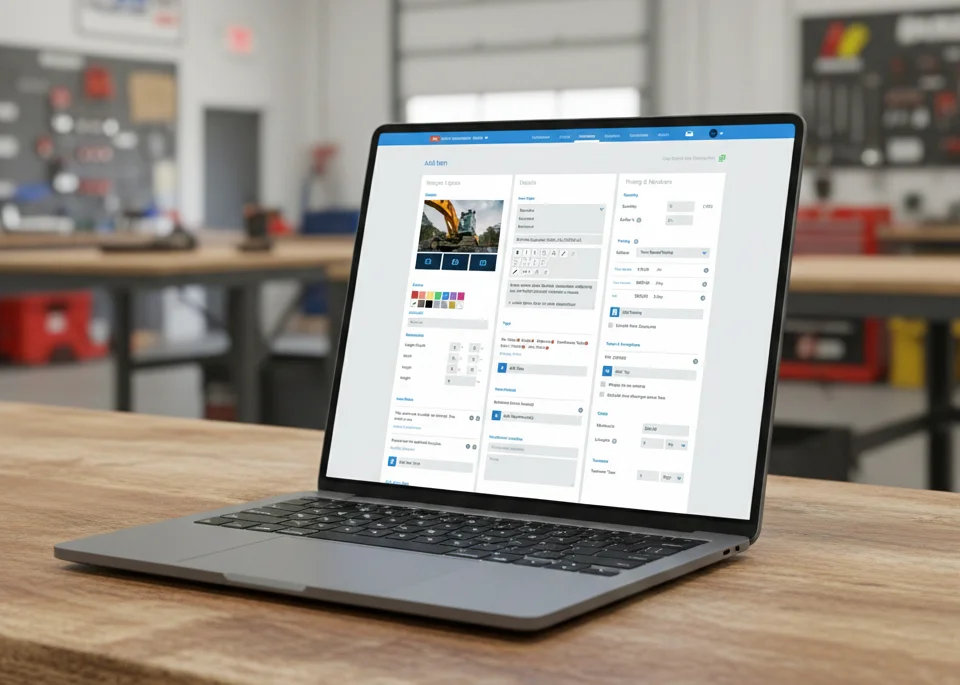
Why TapGoods Is a Strong Option for Growing Tool & Equipment Rental Businesses
Tool and equipment rental brings challenges that don’t exist in lighter rental categories. Heavier assets, maintenance schedules, tight turnaround times, and utilization tracking all add complexity as a business grows.
TapGoods is built to handle those realities without pushing small businesses into enterprise software before they’re ready. It’s commonly chosen by tool and equipment rental teams that need software strong enough for real operations, but simple enough for a small staff to run day to day.
Across the factors that matter most as rental businesses grow, TapGoods is a solid fit:
-
Scalability: Add inventory, staff, and locations without changing systems as operations get more complex.
-
Pricing: A straightforward pricing model designed for small businesses, without feature-based upcharges.
-
All-in-one platform: Core rental workflows live in one system, reducing tool sprawl and manual work.
-
Support: Responsive, practical help when issues come up during business hours.
For small tool and equipment rental businesses planning to grow, TapGoods offers a balanced approach — enough depth to handle operational demands, without the friction that often comes with enterprise-focused platforms.
Looking for Tool Rental Software for Your Small Business? Let us help!
Choosing rental software is less about finding the longest feature list and more about finding a platform that fits how your business actually operates — today and as you grow.
TapGoods is often chosen by growing tool and equipment rental businesses for that reason. It’s designed to support real rental workflows while remaining approachable for small teams that need software to work without constant workarounds.
If you’re evaluating options and want to see how TapGoods fits your operation, you can explore the platform, schedule a no-pressure demo, or start a free trial to see how it works in practice.