
Most rental businesses don’t start by shopping for new software. They build on tools that already work, like spreadsheets, whiteboards, and accounting systems their teams know well. Over time, growth makes it harder to keep everything visible, accurate, and in sync.
That’s usually when teams begin looking for better systems, not to replace their operation, but to strengthen it. The right software should support your existing processes while reducing manual work and blind spots.
This guide explains the types of software rental businesses commonly use, how those systems fit together, and how to evaluate options before diving into detailed comparisons.
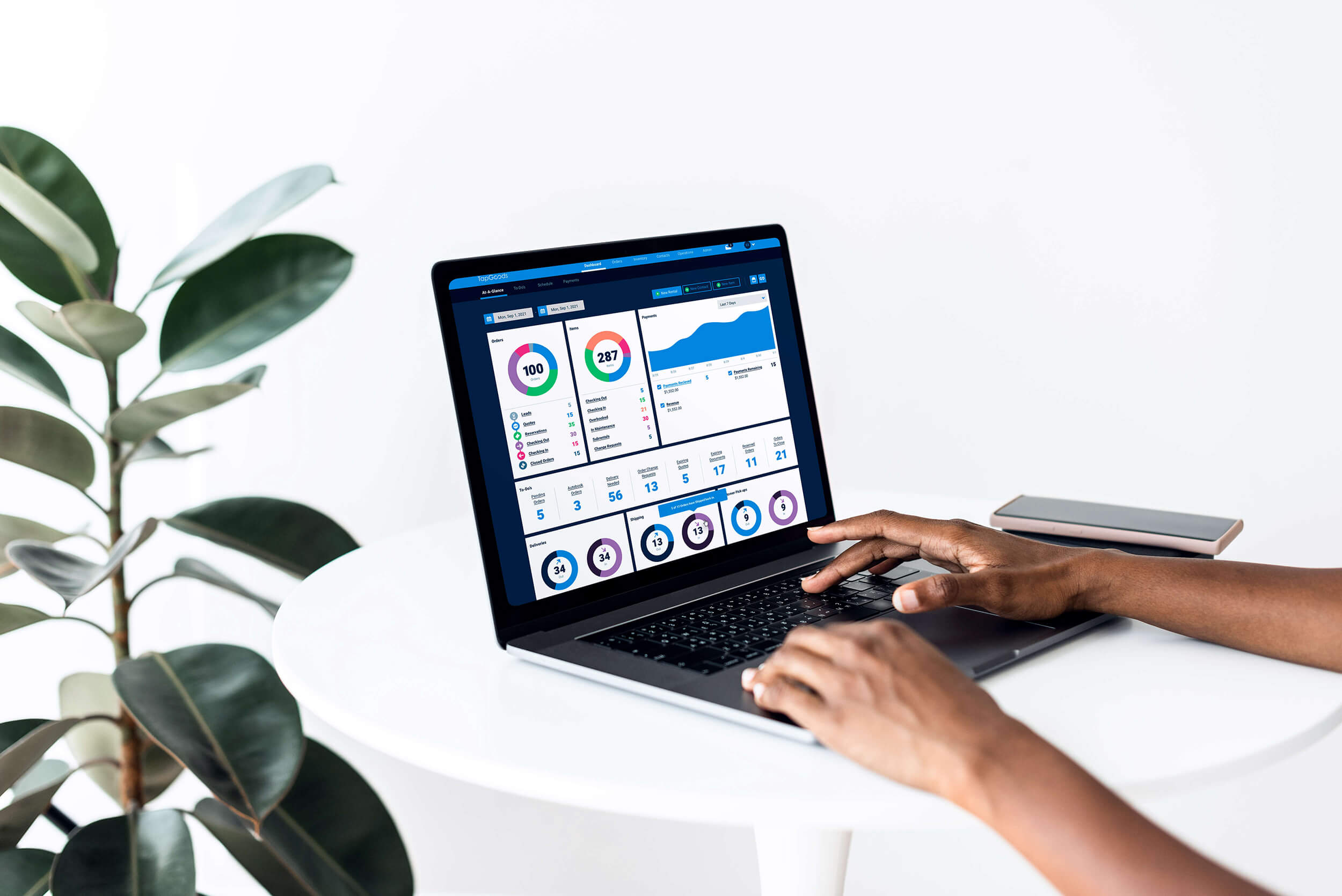
Table of Contents
- What Kinds of Software Do Small to Mid-Size Rental Businesses Need?
- What Kinds of Software Do Large Multi-Location Rental Businesses Need?
What Kinds of Software Do Small to Mid-Size Rental Businesses Usually Need?
For small to mid-size rental businesses, you’re usually looking at three essential needs when it comes to software:
- Familiarity
- Flexibility
- Speed
The focus for small rental businesses is on keeping daily operations moving without adding unnecessary complexity or overhead.
Common tools at this stage often include:
- Rental Management Software
- Accounting Software
- Spreadsheets and Lightweight Tracking Tools
- Website and Basic Online Catalog Tools
At this stage, the goal is reliability and simplicity.
What Kinds of Software Do Small to Mid-Size Rental Businesses Usually Need?
As rental businesses grow, coordination becomes just as important as speed. More inventory, more locations, more deliveries, and more staff increase the number of handoffs and decisions happening every day.
Software at this stage helps create consistency, visibility, and accountability across the operation. Here’s what these larger rental businesses typically need:
- A Core Rental Management Platform
- Enterprise Accounting Systems
- Route Management or Fleet Visibility Tools (When Applicable)
- CRM and Customer Communication Systems
- Advanced Reporting and Operational Visibility
- Stronger Integrations Between Systems
Not every large rental business needs every system immediately.
The right mix depends on delivery volume, inventory complexity, staffing model, and the level of coordination required by the operation. The goal of software for these businesses is to support scale without losing control or consistency.
Core Software Categories in the Rental Business Essentials Tech Stack
Most rental businesses rely on a small set of systems to support different parts of the operation, from managing inventory and orders to handling accounting, customer communication, and deliveries.
The goal is to choose software that works well together, meaning information entered once flows automatically between systems instead of being retyped, exported, or manually reconciled. This reduces errors and improves visibility as the business grows.
The sections below outline the core software categories rental businesses commonly use and how they fit together, so you can evaluate options with a clearer framework.

1. Rental Management Software
Rental management software should handle the heaviest operational lifting in a rental business. This is typically the main system teams use to manage inventory availability, create quotes and orders, generate contracts, track fulfillment and returns, and keep daily workflows aligned.
More importantly, this system often becomes the central source of truth for the business.
It’s where accurate inventory, order status, pricing logic, and availability live, and it should reliably share that information with the other tools you use, such as accounting, your website, CRM, or delivery systems.
That’s why integration capabilities matter. Many modern platforms offer open APIs and webhooks, enabling systems to exchange data automatically rather than relying on manual exports or re-entry.
Not every business will use these capabilities right away, but choosing a platform that supports them gives you flexibility as your operation grows and your software needs expand. It helps ensure you can add new tools later without needing to replace your core rental system.
2. Accounting Software
Accounting software serves as the financial system of record for most rental businesses. It’s where invoices, payments, taxes, credits, and financial reporting ultimately live, and where accountants and bookkeepers typically work day to day.
Many rental businesses already rely on QuickBooks or similar accounting platforms, and those tools often continue to work well as operations grow. A common example is QuickBooks Online, used by small to mid-size rental businesses for invoicing, payments, tax tracking, and basic financial reporting. These versions are typically easier to manage and lower in cost.
The key is choosing an accounting platform that supports your current financial complexity and can grow with you over time without adding unnecessary overhead.

3. Website and Online Ordering Tools
Your website is often the first place customers interact with your business. It’s where they browse inventory, check availability, submit requests, or place orders, so it needs to stay accurate and easy to use.
The right website setup often depends on a business’s size and maturity.
For small to mid-size rental businesses:
Many teams prioritize speed and simplicity. Website builders or templates bundled with rental software can provide a fast way to launch a usable site without extensive design or technical work. These options often cover the essentials, such as product listings, availability display, and basic online ordering or quote requests.
For larger or more established rental businesses:
Teams may prefer platforms like WordPress or custom-built websites that offer greater control over branding, content management, SEO optimization, and custom functionality. These setups typically require more ongoing management but offer greater flexibility as marketing and digital needs grow.
Regardless of platform, the most important requirement is that the website stays connected to your rental system so inventory, pricing, and availability remain accurate without manual updates. This might mean choosing a rental software that offers a WordPress Plugin or website templates that integrate directly with your backend inventory.
When the website and rental software share data reliably, customers see up-to-date information, and teams avoid duplicate work.

4. Route Management and Fleet Systems (When Applicable)
Route management and fleet systems are most useful for rental businesses with high delivery volume or larger vehicle fleets. These tools support route planning, vehicle tracking, and daily fleet visibility. Platforms like Samsara are common in delivery-heavy operations.
Routing tools should stay connected to your rental system so delivery schedules, order changes, and fulfillment priorities stay aligned without manual updates or duplicate tracking.
Teams also work differently in the field. Some prefer mobile apps and digital routing. Others still rely on printed routes, pick lists, and paper paperwork. The right setup supports both without forcing teams into workflows that don’t match how they operate.

5. CRM and Customer Communication Tools
CRM and customer communication tools help rental businesses track customer history, quotes, contracts, follow-ups, and ongoing communication across teams. They make it easier to manage repeat business and maintain a consistent customer experience as volume grows.
These tools are more commonly used by larger or multi-location rental businesses, especially when multiple sales reps, account managers, or service teams need shared visibility into customer activity. Platforms like HubSpot are often used in these environments to manage pipelines and customer engagement.
Smaller rental businesses often rely on built-in communication tools within their rental software, such as automated order confirmations, reminders, and customer notifications. In many cases, this covers what smaller teams need without adding another system.

6. Internal Team Communication and Workflow Tools
Internal tools help rental teams coordinate work across sales, warehouse, dispatch, and operations. They support fast communication, task tracking, handoffs, and visibility into what needs to happen next.
Team Communication Tools
Used for real-time messaging, quick updates, and daily coordination.
Common examples include:
Project and Workflow Management Tools
Used to track tasks, manage workflows, and maintain accountability across teams.
Common examples include:
The most important consideration is how these tools connect back to your rental system. When order updates, delivery changes, or operational alerts flow into the tools your team already uses, communication stays timely without creating extra manual steps or disconnected workarounds.
How to Choose Your Software Tools
Use these questions to help prioritize which tools matter most for your operation. If you answer “yes,” that category may be worth evaluating next.
Do you struggle to keep inventory availability accurate across orders, locations, or channels?
→ You likely need a stronger rental management system.
Are invoices, payments, or financial reporting difficult to track or reconcile?
→ Your accounting system may need improvement or better alignment with your operations.
Do customers want to browse inventory, check availability, or place requests online?
→ Website and online ordering tools become more important.
Is delivery routing becoming harder to manage as volume increases?
→ Route management or fleet visibility tools may add value.
Are customer follow-ups, repeat business, or multi-user sales coordination getting harder to manage?
→ CRM or customer communication tools may be helpful.
Do internal handoffs, task visibility, or team communication break down as the team grows?
→ Team communication or workflow tools can improve coordination.
How TapGoods Fits Into a Modern Rental Tech Stack
TapGoods is designed to serve as the core rental management system where inventory, availability, orders, pricing, and fulfillment live in one place.
For smaller rental businesses, TapGoods often replaces the need for multiple separate tools.
- Built-in website templates
- Online ordering
- Automated customer emails
- Inventory tracking
- Routing workflows
These features allow small to mid-size teams to run day-to-day operations without stitching together additional software.
As businesses grow, TapGoods continues to serve as the system of record while connecting to accounting platforms, websites, CRM tools, and operational systems to keep data consistent across the stack.
TapGoods supports modern integrations via open APIs and webhooks, enabling teams to add new tools over time without replacing their core rental platform.
TapGoods is offered in two purpose-built versions:
-
TapGoods for Event and Party Rental Businesses, designed for high SKU volume, delivery coordination, and fast quoting.
-
TapGoods for Tool and Equipment Rental Businesses, designed for serialized inventory, maintenance workflows, counter transactions, and utilization tracking.
This allows rental businesses to start on a platform aligned with their operational model while maintaining a consistent foundation for accuracy, visibility, and long-term growth.
Final Thoughts
Event rental operations are the heart of your business. By focusing on inventory management, logistics, theft prevention, automation, and data insights, you’ll build a stronger foundation for growth and deliver consistently excellent experiences to your clients.
Use this guide alongside our in-depth resources to keep your business efficient, profitable, and future-ready.
Other blogs you may find helpful
- The Ultimate Guide to Starting and Scaling a Successful Event Rental Business
- The Complete Guide to Pricing and Billing for Equipment Rental Businesses
- Marketing Strategies to Win More Customers in Equipment Rental
- Choosing the Right Event Rental Equipment for Every Occasion
- The Future of Rental Business Technology: Tools, AI, and Automation