
A customer calls wanting 200 chairs, a canopy tent, and 10 farm tables for a Saturday in June. Half the inventory is at Location A, half at Location B. Who pulls it? Who delivers it? How do you make sure nothing is double-committed?

The chaos of multi-location operations doesn’t come from the decision to expand. It comes from the operational gaps that open up once those doors are open.

In this guide, we’ll cover the inventory strategy, warehouse workflows, and team structures that keep a multi-location rental business running as one seamless operation.

multi-location warehouse operations

What to Consider When Investing in a Second Warehouse

When you run one warehouse, information moves naturally. Your warehouse manager walks the floor. Your office staff can shout across the room. You know what’s available because you can see it.

Add a second location, and that changes fast. What worked when everyone was in one building can start to break down as soon as inventory, people, and decisions are spread across two buildings.

Here’s a few things you should consider as you’re scaling operations:

1. What Lives Where (and How to Decide)

Before you open a second location, you need to answer one foundational question: how will inventory be organized between the two?

There are two basic models. The first is a flexible transfer model, meaning inventory moves freely between locations based on demand. The second is a self-sufficient model, meaning each location maintains its own full inventory and rarely needs to pull from the other.

Most operators discover the answer isn’t either/or.

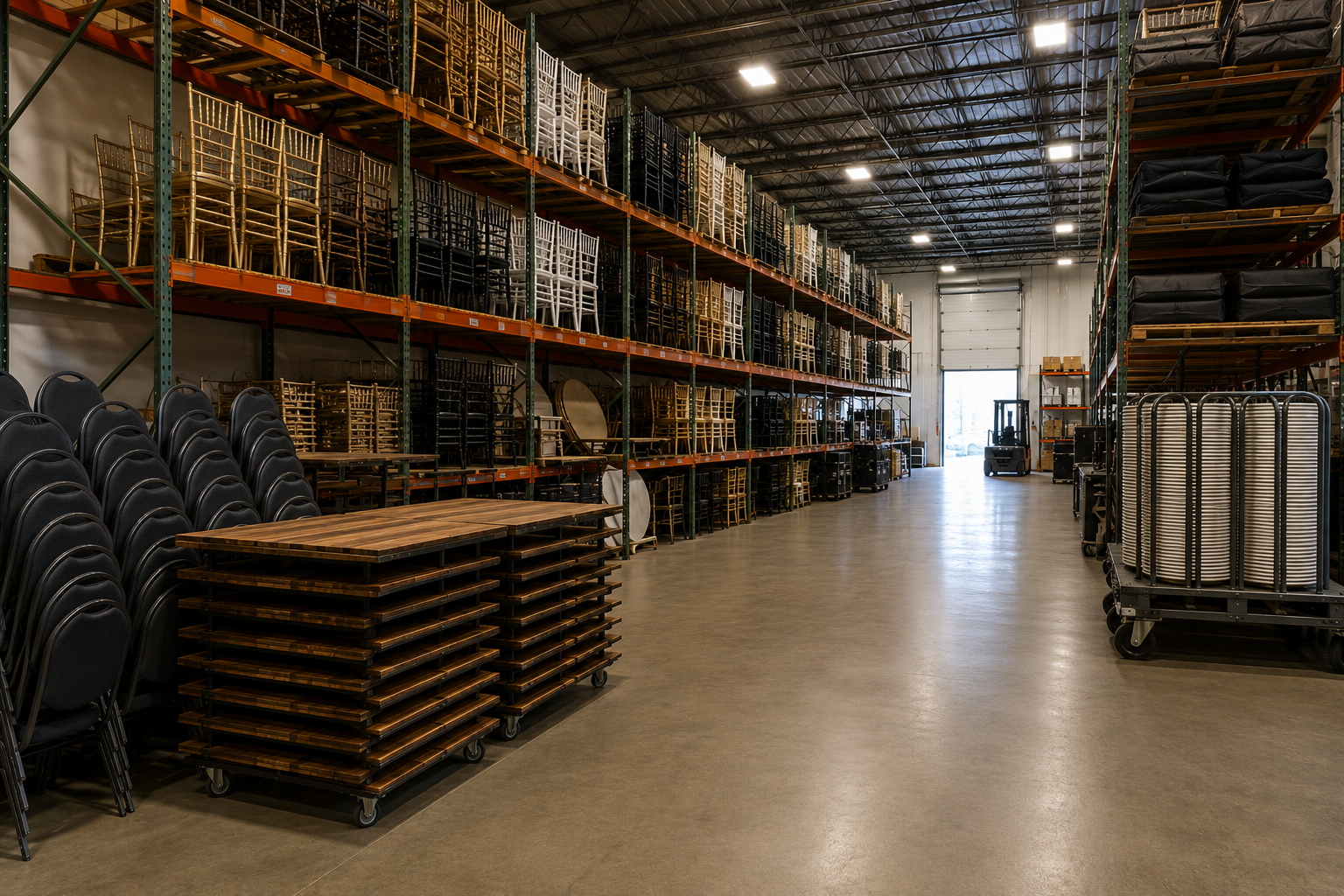
The hybrid approach that works for most party and event rental companies: high-volume, easy-to-transport items like chairs, folding tables, and standard linens get stocked at both locations. Specialty and high-value items — LED furniture, photo booths, large specialty tents, branded lounge sets — remain centralized at a single location, with a defined process for cross-location fulfillment.

For each item in your inventory, ask three questions before deciding whether to duplicate it:

  • How often is it requested, and at which location?
  • How difficult is it to transport without damage?
  • What’s the carrying cost of stocking it twice vs. the transfer cost of moving it when needed?

A stack of Chiavari chairs can handle a cross-town move without much risk. A fragile floral arch probably can’t. A tent that goes out four times a month at Location B should live at Location B.

2. When to Sub-Rent Between Your Own Locations (Instead of Transferring)

When Location B is overbooked and Location A has availability, the instinct is to transfer the inventory. But mid-peak-season, that’s not always the right call — Location A may need it too.

Treating cross-location fulfillment as a subrental is often cleaner. It creates a paper trail, keeps each location’s utilization data accurate, and prevents the “we lent it to the other warehouse” problem where items get moved without tracking and quietly disappear.

Set up the subrental between locations the same way you’d log one with an outside vendor. Each location’s utilization and overbooking reports stay meaningful. Over time, those reports surface real patterns: if Location B subrents the same 60 folding chairs from Location A every May and June, that’s a buy signal — not just an operational workaround.

3. How Pulling for Orders is Handled in an Efficient Multilocation Rental Operation

Single-location warehouse work is already complex. Multi-location makes it harder in a specific way that doesn’t get talked about enough: it fragments the pull.

At one warehouse, the workflow is linear. A picklist goes to one team. A supervisor checks it. Trucks load. Simple.

When an order pulls from two locations, that workflow splits. Location A’s team is pulling their portion. Location B’s team is pulling theirs. Neither team has full visibility into what the other is doing, or whether items they’re about to pull are already committed to another order.

A clean multi-location pull looks like this: separate picklists generated for each location from the same parent order, synchronized checkout timelines, and a designated person at each location confirming their pull is complete before either truck leaves.

4. Team Structure and Permissions: Who Sees What Across Locations

One mistake many rental business managers make concerns accessibility in their rental system. 

They either give everyone full access to the system, which can create too much noise and real privacy and data integrity problems… or they restrict access so tightly that managers become bottlenecks for every decision.

Luckily, your reality doesn’t need to reflect either of those scenarios. Take a look at your software and see which permissions you can change for your team.

Here’s what we recommend:

  • Drivers: Routes, delivery confirmation capability, and check-in/check-out access. That’s it. They don’t need open order queues, customer billing histories, or Location A’s pending quotes.
  • Warehouse: Their picklist, order notes relevant to their pull, and item availability. They don’t need financial data or another location’s order queue.
  • Office staff at each location: Orders and inventory for their branch. Cross-location visibility depends on whether their role actually requires it — a coordinator handling overflow fulfillment between locations needs more access than someone who processes only local orders.
  • Managers:  Cross-location visibility to catch problems early and make inventory decisions. 
  • Owners: Everything.

Mapping this out in your software should only take an hour. If you aren’t sure what your software can do, reach out to an account representative. If you aren’t on a rental software solution that supports this kind of personalization yet, check out our rental software comparison guide

multi-location warehouse operations

The Communication Habits That Keep Multi-Location Teams Aligned

Software gives everyone access to the same information, but it doesn’t create the habit of using that information together.

The multi-location operations that stay aligned build deliberate communication rhythms into their weekly routines. A simple 10-minute dispatch meeting between location managers can go a long way. Reviewing the upcoming weekend schedule, identifying cross-location fulfillment needs, and discussing known conflicts helps surface issues early—before they become event-day emergencies.

As volume grows, it’s also worth adding a dedicated inventory review. Use this time to identify items that are consistently overbooked at one location and underutilized at another. Create a short list of high-demand inventory that requires active monitoring, then reposition those items ahead of busy weekends. A little planning during the week is far easier than scrambling to move inventory on the morning of an event.

multi-location warehouse operations

Important Data to Keep an Eye on Across Locations

One of the most common traps in multi-location operations is that aggregate numbers look healthy while individual-location problems go undetected.

Track these metrics per location, not just in aggregate:

  • Revenue — by location, by period, by department
  • Utilization rate — which items are getting used at each location and which are sitting idle
  • Overbooking frequency — how often is a location committing inventory it doesn’t actually have?
  • Subrental spend — money going out to fill gaps, including cross-location subrentals
  • Truck operational efficiency — deliveries completed, route performance, labor per delivery

Per-location reporting also drives better inventory investment decisions. If Location B’s subrental data shows the same 60 folding chairs coming from Location A every May and June, that’s a concrete buy signal — not an operational quirk to keep working around. 

If Location A’s utilization data shows a specialty tent sitting idle through the summer while Location B turns down tent requests weekly, that’s a transfer decision.

Related: Demand Forecasting with AI | How AI Can Help You Make Business Decisions

multi-location warehouse operations

Run Multiple Locations Like One Operation with TapGoods

TapGoods PRO gives you one system to manage multiple locations while keeping each warehouse organized and independent. Your teams can see inventory across locations, transfer equipment when needed, manage separate delivery operations, and maintain location-specific settings without juggling multiple logins or disconnected systems.

The result? Fewer inventory surprises, less back-and-forth between teams, cleaner logistics, and better visibility into how each location is performing.

Whether you’re preparing to open a second warehouse or already feeling the strain of managing multiple locations, TapGoods PRO helps your operation run as a single business rather than as separate silos.

Schedule a demo to see how multi-location rental companies use TapGoods PRO to simplify operations, improve communication, and scale with confidence.

Book a Demo with TapGoods

Frequently Asked Questions

A multi-location rental operation is a rental business that manages inventory, staff, deliveries, and customer orders across two or more warehouse locations. Common examples include party rental companies, event rental businesses, tent rental companies, and equipment rental providers operating in multiple markets.

Most rental businesses consider opening a second warehouse when delivery costs increase, service areas expand, inventory utilization reaches capacity, or customer demand grows in a new geographic region. A second location can reduce transportation costs and improve service coverage when managed effectively.

Many rental companies use a hybrid inventory model. High-demand items like tables, chairs, and standard linens are stocked at multiple locations, while specialty inventory such as custom furniture, luxury décor, photo booths, or large tent structures remain centralized and are transferred when needed.

Preventing double-booking requires real-time inventory visibility, location-specific inventory tracking, and clear fulfillment processes. Rental software that tracks inventory availability across multiple warehouses helps teams avoid committing the same item to multiple events.

The answer depends on demand and utilization patterns. Many successful rental companies treat cross-location fulfillment as an internal subrental because it creates accountability, preserves reporting accuracy, and helps identify long-term inventory purchasing opportunities.

Common challenges include inventory visibility, communication gaps, delivery coordination, inconsistent warehouse processes, inventory transfers, and maintaining accurate availability across locations. Without clear systems, small operational issues can quickly become customer-facing problems.

Most successful operations establish regular communication rhythms, including daily dispatch meetings, weekly inventory reviews, and periodic planning sessions between location managers. Consistent communication helps identify conflicts before they impact customer events.

Important metrics include revenue by location, inventory utilization rates, overbooking frequency, subrental costs, delivery efficiency, labor productivity, and inventory transfer activity. Tracking these metrics by location often reveals issues that aren’t visible in company-wide reports.

Rental software helps businesses centralize inventory management, monitor availability across warehouses, coordinate transfers, generate location-specific reports, manage delivery routes, and improve communication between teams.